
Think about how you shop today compared to ten years ago. The way we buy things has changed a lot, and one big reason for this is the technology stores use to ring up your purchases – the Point of Sale (POS) system. This software handles your transactions and tracks what’s selling.
As we change the way we shop, these POS systems have had to change too. But it’s not just shoppers driving this change; small store owners are, too. They want more from their systems. They want to run their stores better, and they want the data and tools to help them make smart choices.
That’s why now is a great time to talk about the two main kinds of POS systems: cloud-based and traditional. In this article, we’ll explain what these systems are and then break down the big differences between them using information from the world of retail.
Cloud-based POS and Legacy POS:
Choosing the right Point of Sale (POS) system can be a major source of stress, mainly because it’s a decision you typically make only once. Making the right choice matters because a reliable POS system is a vital tool for business owners, helping them boost sales, manage inventory efficiently, and build a loyal customer base.
Unsure about the differences between these systems and which one might be the better choice for your business? Let us provide some clarity!
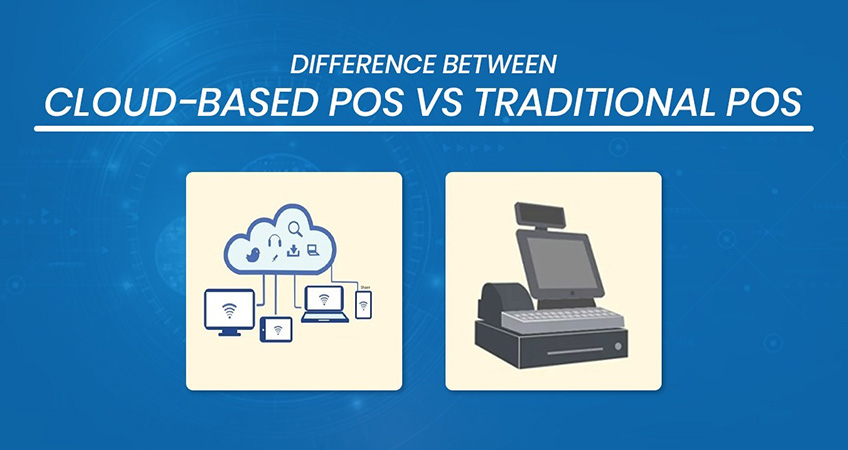
A traditional POS, often called a legacy POS, operates within closed networks and stores data on local servers. Think of it like storing your data exclusively on your home computer, making it inaccessible from anywhere else.
On the other hand, a cloud-based POS, also known as a Mobile POS or Software as a Service POS (SaaS-POS), is web-based and relies on a cloud service for data storage.
To draw a parallel with our earlier analogy, this is similar to storing your data in a place like Google Drive or Dropbox – easily shareable with others and accessible from anywhere on the internet.
Cloud-based POS vs. Traditional POS:
Several factors set these two POS types apart, and we’ll dig into them shortly.
Accessing Data:
Traditional:
With a traditional system, you can only work with your data when you’re actually at your business location. This means the owner or manager has to be physically present in the store to do things like update the menu, check employee work hours, or review sales reports.
Cloud
But with a cloud system, you’re not tied to one place. You can access your data from anywhere, anytime. Whether you’re on a computer, tablet, phone, or laptop, if you have internet access, you’re good to go. You can monitor your reports in real time and even make updates online. This lets you manage your business remotely, without needing to be there in person for every task.
Risk of Data Loss:
Traditional:
In a traditional setup where all data is kept on local servers within a closed network, there’s a higher chance of losing everything if the system has a major problem or a bug.
Cloud
But with a cloud system, things are safer. Since all your data is stored online on faraway servers, the risk of losing it is much lower. Even if something goes wrong with your system, like a crash, your data stays protected because it’s automatically backed up in the cloud. If needed, you can easily restore it.
Cost Savings:
Traditional:
When it comes to traditional POS systems, you’ll often find they have a hefty upfront cost. On top of that, you’ll pay ongoing maintenance fees because you need to manually update the software at your business, which takes more time and effort. Plus, if the system crashes, getting it back up and running can be expensive.
Cloud
Now, cloud-based POS is usually more budget-friendly. There are usually no big upfront fees, and you pay with a subscription model – either monthly or yearly. The good part is that the provider handles software updates, and that’s included in your subscription.
However, the cost of your subscription can vary based on your business size, like how many stores you have, how many employees you’ve got, and how many devices you use. So, in the long run, it might end up being as expensive as traditional POS.
Regular Updates:
Traditional:
A web-based point-of-sale system that operates on the cloud is called a cloud POS. Unlike traditional systems, it doesn’t require costly servers that must be upgraded frequently, and it handles payment processing and updates online rather than on a local computer.
Cloud POS systems can operate on various platforms such as tablets and smartphones, rather than being confined to a desktop computer at the checkout counter.
Cloud
With cloud-based systems, the provider handles updates remotely. No one needs to visit your location. They tend to update more often than the traditional crowd, and it all happens in real-time. This means you’re always using the latest version of the software.
Internet Reliance:
Traditional:
Traditional systems don’t need the internet. They work fine even without the internet, so it won’t disrupt service.
Cloud
Cloud-based systems, on the other hand, rely a lot on the internet. So, if your internet is slow or stops working, it can cause problems. But here’s the twist: some cloud systems have a special trick. They can keep working even without the internet. Later, when the internet is back, they sync the data.
Hardware Differences:
Traditional:
Traditional hardware is often big, heavy, and hard to move around. The usual screen size in traditional POS is about 15 inches. Some folks like this because it’s hard to steal, but others see it as a downside because it’s hard to take with you.
Cloud
Now, cloud-based POS uses smaller devices like tablets and mobile phones. You can carry them around without a fuss. But here’s the catch: these devices usually don’t last too long on battery power, so you have to keep them plugged in a lot.
Integrated Systems:
Traditional:
In traditional POS systems, adding new stuff like features or updates can be a real headache. It’s tough to change things and make the system fit your business better.
Cloud
But with a cloud-based POS system, you’ve got some superpowers. You can easily add cool extras and connect with other software to make your POS just the way you want it. You can add things like loyalty programs, online ordering, customer management, inventory tracking, and more.
Why Should Retailers Switch to a Cloud-Based POS System?
A cloud-based POS system that integrates with other tools gives businesses a clear view of what’s happening and can do more than just take orders and payments. It helps operations run more smoothly, provides useful insights, and simplifies everyday tasks. This lets business owners focus on growth.
As the world gets more digital, it’s important for businesses to switch to cloud-based POS systems to stay competitive and stay in the game. So, businesses should consider the benefits these systems can bring and make the switch for long-term success and growth.
Bottom Line:
Every business is unique, so it’s important to have a POS system that matches what you need and care about. These comparisons should make it easier for you to see the differences and pick the right POS for your business!
FAQs
Q1: What is the main difference between cloud POS and traditional POS?
A: A cloud POS stores data online and can be accessed remotely, while a traditional POS usually stores data on local servers and is tied to the business location.
Q2: Is a cloud-based POS better than a traditional POS?
A: It depends on the business. Cloud POS offers remote access, automatic updates, and easier integrations, while traditional POS can work without an internet connection.
Q3: Does a cloud POS require an internet connection?
A: Most cloud POS systems rely on the internet, although some offer offline features that allow transactions to continue and sync data once the connection returns.