
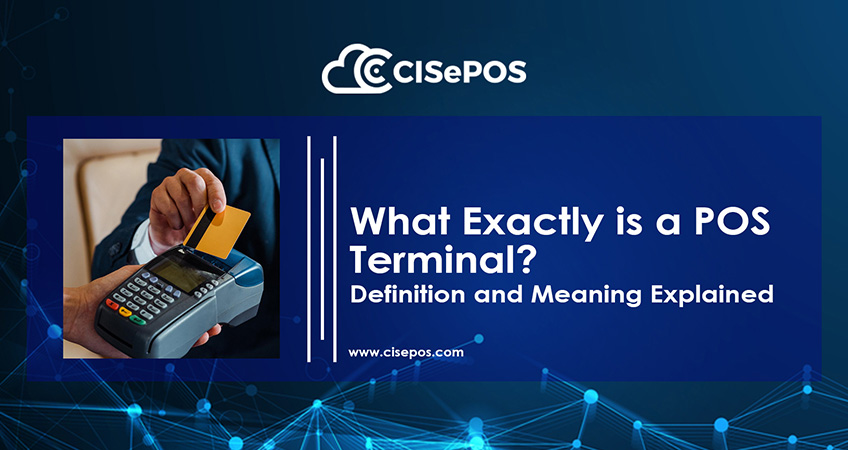
The point-of-sale (POS) terminal is reshaping how businesses transact. Modern systems have changed industry dynamics. It has now become an integral part of business operations. From cutting costs to streamlining business operations, the system has numerous benefits. But what are point-of-sale terminals, and how do they enhance business operations? We will do a detailed overview of the modern system. Find out what a POS terminal is, its key features, and how it streamlines business operations.
What is a POS Terminal?
A point-of-sale terminal is an electronic payment processing machine. Commonly used in retail locations, the system enables fast payment processing. It is also safe and secure. Customers and retailers can utilize the system without worrying about security breaches.
The system houses different hardware and software components. All these carry out different functions. Together, they ensure fast, secure payments. Moreover, the terminal also provides reports and analysis.
POS Terminal Machines Components
System components can vary depending on several factors. For instance, model number, package, and specs. However, the following components are rather common in all systems.
Hardware Components
Card Reader – This is where customers enter their cards. Depending on machine type, cards can be inserted, tapped, or swiped. Both debit and credit cards go into this slot.
Receipt Printer – The system generates receipts for every transaction. It serves as proof of purchase. It also includes information about the sale. The printer in the machine provides this receipt.
Cash Drawer – Cash payments are common in stores. The point-of-sale machine also supports cash payments. The cash drawer provides a secure place to store money.
Barcode Scanner – Retail products have barcodes. These ensure swift checkouts with instant price info. The system has a barcode scanner for this operation.
Display Screen – The system has a display screen. This screen displays the entire process. Moreover, both the employee and the customer can see the details on the screen.
Software Components
POS Software – It is the most integral part of the setup. The system handles a range of operations. For instance, payment processing, sales tracking, and inventory management. Moreover, the system generates reports for helpful insights.
Payment Processing Software – Online payments are susceptible to cybercrimes. Fortunately, the payment processing software eliminates this risk. The system ensures safe payments to and from the bank.
POS Terminal Working
Terminal payments through POS systems follow a series of steps. Below is the full payment process.
Step 1 – Transaction Commencement
The cashier scans the selected items at the counter. The barcode scanner instantly displays the price and quantity of each item. The screen also shows any discounts, if applicable.
Step 2 – Payment Process
The customer selects a payment method. This can be debit, credit, or cash. If paying by card, the cashier swipes the card in the machine.
Step 3 – Authorisation
The terminal contacts the bank to authorise the payment. The system checks the card’s validity. It also ensures sufficient funds are available.
Step 4 – Approval/Decline
The bank checks the requested details. Based on that information, the system accepts or declines the payment.
Step 5 – Receipt Generation
The system generates a receipt after a successful transaction. It contains all the information about the sale.
Types of POS Terminals
Detailed below are the most common types of POS terminals.
Traditional POS Terminals
The traditional types are typically found in brick-and-mortar stores. These are stationary systems with a range of hardware and software components.
Mobile POS (mPOS) Terminals
MPOs are set on portable devices. For instance, mobile phones and tablets. These systems are ideal for restaurants and carts. Employees can freely take the machine anywhere to process payments.
Conclusion
A POS terminal does much more than process payments. From scanning products and managing transactions to generating receipts and supporting sales records, it helps businesses handle everyday checkout operations more efficiently. With different options available, businesses can choose a terminal based on their size, payment needs, and operating environment. As payment technology continues to evolve, POS terminals remain an important part of creating faster and more convenient transactions.
FAQs
Q1: What is a POS terminal used for?
A: A POS terminal is used to process payments, record sales, generate receipts, and support other checkout activities.
Q2: What are the main components of a POS terminal?
A: Common components include a card reader, display screen, receipt printer, barcode scanner, cash drawer, and POS software.
Q3: What is the difference between a traditional POS and an mPOS?
A: A traditional POS is usually a fixed setup, while an mPOS uses portable devices such as smartphones or tablets to process transactions.