
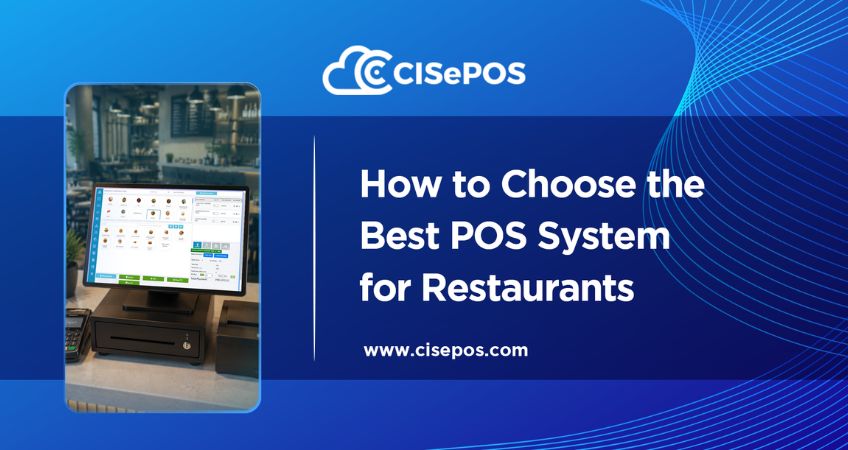
A restaurant POS handles much more than billing. An order must be recorded correctly, linked to the right table or order type, moved through the workflow, and reflected on the final bill. During a busy shift, even a small mistake can delay an order, cause an incorrect charge, or confuse staff.
This is why choosing a cloud POS system for restaurants should start with your actual workflow. The right system should make routine tasks easier without adding unnecessary steps for your staff.
Start With Your Restaurant Workflow
Before comparing POS providers, identify where your current process creates problems.
Are waiters writing orders manually?
Do staff have difficulty tracking occupied and available tables?
Are takeaway and delivery orders mixed with dine-in orders?
Do managers have to collect sales figures manually at the end of a shift?
These questions are more useful than simply comparing feature lists. A small café, a full-service restaurant, and a multi-branch operation will have very different requirements.
Restaurant Billing Software: Get It Right
Billing is one of the most frequent tasks in a restaurant, so it needs to be quick and accurate.
Good restaurant billing software should let staff add items, adjust quantities, apply discounts or deals, select the payment method, and close the bill without unnecessary steps. It should also record the completed transaction.
This becomes particularly important during busy periods. If staff have to calculate totals manually or move between different systems, queues can build up, and billing mistakes become harder to prevent.
Order Management POS System: Keep Orders Moving
Restaurant orders can come from dine-in, takeaway, and delivery customers. A good order management POS system should keep these orders clearly organized from the moment they are entered.
For table service, staff should be able to associate an order with the correct table and update it when customers add or remove items. This creates a clearer billing record and reduces confusion during busy shifts.
If your restaurant offers different ordering modes, check whether the POS handles them within the same workflow rather than forcing staff to maintain separate records.
Keep Menu Changes Under Control
Restaurant menus are rarely static. Prices change, dishes are added, items become unavailable, and new deals are introduced.
The POS should make these updates manageable for authorized users. It should also ensure staff use the current menu and prices when taking orders.
For restaurants with detailed menus, features such as item descriptions, images, recipes, and modifiers can also help staff enter orders more accurately.
Connect Sales With Stock
Stock management becomes more important when a restaurant handles many orders every day.
When sales are connected to inventory records, the business can track quantities used and identify fast-moving items. This can help staff spot potential shortages before they affect service.
For restaurants with multiple outlets, centralized information can also make it easier to monitor stock across locations, rather than relying entirely on separate manual records.
Cloud POS for Restaurants: What Changes?
A cloud POS for restaurants can give authorized owners and managers access to sales and operational information beyond the main checkout device.
This is particularly useful for restaurant groups where managers need to compare activity across branches. Instead of waiting for individual outlets to send their figures, they can review available information through a central platform.
Internet reliability should still be considered. If your restaurant experiences connectivity issues, check whether the POS supports offline transactions and how it synchronizes sales when the connection is restored.
Restaurant Management Software: What Should It Cover?
Restaurant management software should support more than front-counter transactions.
Look for functions that help with table management, ordering, billing, inventory, discounts, refunds, reporting, and shift-related tasks. The value comes from how these functions work together.
For example, a completed order should contribute to the sales record without requiring staff to enter the same information again elsewhere. This reduces repetitive work and gives managers more reliable operational data.
Make It Easy for Staff
Restaurant employees work under time pressure, especially during lunch and dinner rushes. A complicated POS can slow service, no matter how many features it offers.
Pay attention to the steps required to take an order, modify it, close a bill, process a refund, or switch between order types. Ask for a demonstration before choosing a provider and consider whether a new employee could learn the basic workflow quickly.
How Can CISePOS Help?
CISePOS provides a cloud-based restaurant POS solution with features for billing, table management, menu management, dine-in, takeaway, and delivery orders, discounts, refunds, inventory tracking, reporting, and offline functionality.
Its restaurant setup brings these activities into one platform, giving staff a more organized way to handle daily transactions while giving managers better visibility into sales and operations.
Looking for a POS that fits your restaurant workflow? Explore CISePOS and see how it can support ordering, billing, stock tracking, and everyday restaurant operations.
FAQs
Q1: What should I look for in a restaurant POS system?
A: Focus on the workflow your staff uses every day. Important areas include order entry, table management, billing, menu updates, discounts, refunds, stock tracking, reporting, payment options, and ease of use.
Q2: Is a cloud POS suitable for restaurants?
A: Yes. It can help restaurants that need access to sales and operational information across locations. If internet reliability is a concern, check whether the system supports offline functionality.
Q3: Can a restaurant POS handle takeaway and delivery orders?
A: Many restaurant POS systems support multiple order types, including dine-in, takeaway, and delivery. Check how these orders are recorded and managed within the system before choosing a provider.
Q4: Can restaurant POS software help with inventory?
A: Yes. When sales and inventory functions are connected, the system can keep product records updated and show which items are used or sold most often.